
WordPress vs Custom Website: Which Is Better for Your Business?
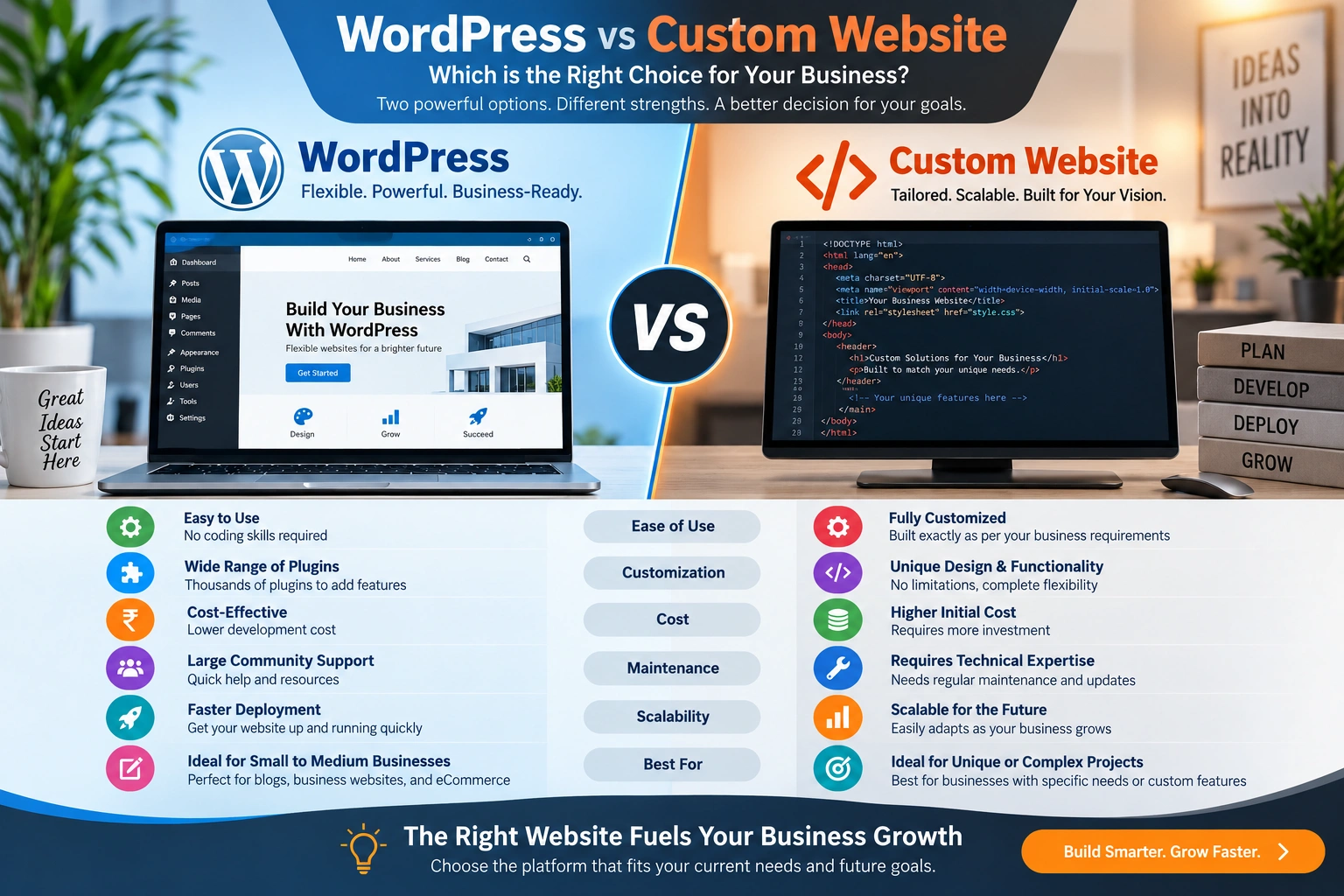
Choosing between WordPress vs custom website development is an important decision for any business planning a new website or redesigning an existing one. WordPress can provide a flexible content management system, while custom website development can deliver highly specialized functionality built around specific business requirements.
But which option is better?
The answer depends on your business goals, website functionality, budget, timeline, expected growth, SEO requirements, integrations and how much control you need over the technology.
A small business that needs a professional company website may not need a completely custom platform. A company building a complex customer portal, SaaS application or specialized business system may need far more than a standard WordPress installation.
This guide compares WordPress vs custom website development across cost, design, SEO, performance, security, scalability, maintenance, eCommerce and functionality so you can make a more informed decision.
WordPress vs Custom Website: Quick Answer
If you need a business website, blog, service website, portfolio, content platform or many types of standard eCommerce websites, WordPress can be an excellent choice.
If you need a highly specialized web application, complex workflow, custom dashboard, advanced integration or unique business logic, custom website development may be more suitable.
In some cases, the best solution is a combination of both: WordPress for content management and custom development for specialized functionality.
Quick comparison
| Requirement | WordPress | Custom Website |
|---|---|---|
| Business website | Excellent | Excellent |
| Blog | Excellent | Possible |
| Content management | Excellent | Must be developed or integrated |
| Fast launch | Usually easier | Usually takes longer |
| Custom functionality | Possible | Excellent |
| Unique business workflows | Possible | Excellent |
| Plugin ecosystem | Excellent | Not applicable |
| Design flexibility | High | Very high |
| SEO | Excellent when properly optimized | Excellent when properly developed |
| eCommerce | Excellent for many requirements | Excellent for specialized requirements |
| Scalability | High with good architecture | Highly customizable |
| Development complexity | Low to high | Medium to very high |
| Initial development cost | Often lower for standard sites | Often higher |
| Long-term maintenance | Required | Required |
The important lesson is simple:
There is no universal winner.
The right platform is the one that matches the actual requirements of your business.
What Is a WordPress Website?
WordPress is a content management system that allows businesses and publishers to create, manage and publish website content.
A WordPress website can be used for:
- Business websites
- Corporate websites
- Blogs
- News websites
- Portfolio websites
- Educational websites
- Membership websites
- eCommerce stores
- Service websites
- Landing pages
- Lead-generation websites
One of WordPress’s biggest advantages is its ecosystem.
The platform can be extended through plugins, themes, custom development and APIs.
WordPress also supports custom post types, allowing developers to create specialized content structures such as products, projects or other business-specific content. WordPress recommends placing custom post-type functionality in a plugin rather than a theme when appropriate, which can help keep the content structure independent of the site’s visual presentation.
For businesses that need regular content updates, this flexibility can be extremely useful.
WordPress is not limited to ready-made templates
A common misconception is that using WordPress means choosing a template and changing a few colors.
That is only one way to use WordPress.
Professional WordPress development can include:
- Custom UI/UX
- Custom themes
- Custom plugins
- Custom post types
- API integrations
- Custom forms
- Advanced search
- eCommerce functionality
- Membership systems
- Performance optimization
- SEO implementation
- Security configuration
This means a WordPress website can be highly customized while still retaining the benefits of a content management system.
For businesses considering WordPress development, JUJU Solutions provides website design and development services as well as WordPress-related solutions. You can explore the company’s Services to understand its broader development capabilities.
What Is a Custom Website?
A custom website is developed around the specific requirements of a business rather than relying primarily on a pre-existing CMS structure.
Custom development can use different technologies depending on the project.
For example:
- HTML
- CSS
- JavaScript
- React
- Vue.js
- Node.js
- PHP
- Python
- Java
- .NET
- Databases
- APIs
- Cloud platforms
The technology should be selected according to the application’s requirements.
A custom website may be appropriate when a company needs:
- Customer dashboards
- Employee portals
- Booking platforms
- Complex quotation systems
- Inventory management
- Custom reporting
- SaaS applications
- Business automation
- Advanced CRM integration
- Specialized authentication
- Complex approval workflows
- Custom data processing
Custom development gives developers greater control over the application’s architecture.
However, that additional control also means more planning, development and maintenance.
WordPress vs Custom Website: What’s the Main Difference?
The fundamental difference is how much of the underlying functionality already exists and how much needs to be created specifically for the project.
With WordPress, a large amount of CMS functionality already exists.
With custom development, the development team can design the architecture around the business requirements.
That creates two different strengths.
WordPress focuses on flexibility and content management
It is particularly useful when a business needs to create and manage content efficiently.
Custom development focuses on specialized functionality
It is particularly useful when a business’s technology requirements are unusual or complex.
Neither approach is automatically superior.
WordPress vs Custom Website: Development Time
Development time can have a significant effect on a project’s cost and launch date.
A WordPress project can often move faster because the content-management foundation already exists.
Developers can focus on:
- Design
- Branding
- Content
- Custom functionality
- Integrations
- SEO
- Performance
- Testing
Instead of creating a complete CMS from scratch.
Custom development usually requires more stages.
These may include:
- Requirement gathering
- Technical architecture
- Database planning
- UI/UX design
- Front-end development
- Back-end development
- API development
- Authentication
- Testing
- Deployment
- Maintenance
This doesn’t mean every custom website takes months.
The timeline depends on the complexity of the application.
Which is faster?
For a conventional business website:
WordPress is usually faster to implement.
For a complex application:
Custom development may be worth the additional development time.
The goal should not be to launch as quickly as possible.
The goal should be to launch the right solution.
WordPress vs Custom Website: Development Cost
Cost is another major consideration.
A WordPress website can have a lower initial development cost for standard requirements because the CMS and ecosystem already provide significant functionality.
However, the actual cost depends on:
- Number of pages
- Design requirements
- Custom development
- Plugins
- eCommerce
- Integrations
- Hosting
- Security
- Content migration
- Maintenance
A custom website may have a higher initial development cost because more functionality has to be designed and developed specifically for the business.
But price should not be the only consideration.
A business should evaluate total cost of ownership.
A low-cost website that cannot support future requirements may become expensive to replace.
Likewise, an unnecessarily complex custom system can waste money if the business only needs a standard website.
The better question is:
Which solution provides the best long-term value for the business?
WordPress vs Custom Website: Design Flexibility
Both WordPress and custom development can produce professional designs.
WordPress allows developers to customize themes and templates or build completely custom themes.
This means a business does not necessarily need to use a generic design.
Custom development provides even more control over:
- User interface
- Navigation
- Dashboards
- Interactions
- Forms
- Animations
- Data visualization
- User journeys
If your business needs a highly unique digital experience, custom development can provide greater freedom.
However, for most corporate and service websites, WordPress can provide enough design flexibility when it is professionally implemented.
Best option for standard business websites
WordPress
Best option for highly specialized digital products
Custom development
WordPress vs Custom Website: Content Management
Content management is one of WordPress’s biggest advantages.
A marketing employee can log into WordPress and update:
- Pages
- Blog posts
- Images
- Categories
- Menus
- Media
- Authors
- Products
- Custom content
without necessarily needing a developer for every small update.
This is particularly important for businesses that publish frequently.
A custom website can also have a powerful administration system.
However, the CMS functionality must be built or integrated into the project.
For businesses where content publishing is central to marketing, WordPress can therefore be highly practical.
WordPress vs Custom Website: SEO
Both WordPress and custom websites can be optimized for search engines.
The platform alone does not guarantee rankings.
Google’s documentation explains that SEO involves helping search engines crawl, index and understand website content.
A properly developed website should consider:
- Site architecture
- Search intent
- Page titles
- Meta descriptions
- Headings
- Internal linking
- URLs
- Mobile usability
- Page performance
- Image optimization
- Structured data
- Canonical URLs
- Indexation
WordPress SEO
WordPress can support SEO through:
- Clean URL structures
- SEO plugins
- Custom templates
- XML sitemaps
- Structured data
- Performance optimization
- Internal linking
- Custom development
Custom website SEO
Custom websites can also be optimized from the architecture level.
Developers can control:
- HTML structure
- Rendering
- URLs
- APIs
- Server behavior
- Performance
- Metadata
- Structured data
Which is better for SEO?
Neither automatically wins.
Implementation quality matters more than the platform name.
WordPress vs Custom Website: Performance
Website performance is another area where people sometimes make incorrect assumptions.
Some people believe every WordPress website is slow.
Others believe every custom website is fast.
Neither statement is true.
Performance depends on architecture and implementation.
A WordPress website can become slower when it contains:
- Too many plugins
- Poor-quality plugins
- Large images
- Excessive scripts
- Heavy page builders
- Poor hosting
- Unoptimized databases
But a well-developed WordPress website can be optimized significantly.
Custom websites can also experience performance problems because of:
- Inefficient code
- Poor database queries
- Excessive JavaScript
- Incorrect caching
- Poor server configuration
- Unoptimized APIs
Therefore, performance should be considered during development rather than treated as a final-stage fix.
WordPress vs Custom Website: Security
Security is essential regardless of the platform.
For WordPress websites, security should include:
- Core updates
- Plugin updates
- Theme updates
- Secure hosting
- Strong authentication
- User permissions
- Backups
- Malware monitoring
- HTTPS
- Security testing
For custom websites, security includes:
- Secure coding
- Authentication
- Authorization
- Input validation
- Output escaping
- Dependency updates
- Database security
- API security
- Server configuration
- Monitoring
WordPress itself provides extensive developer documentation around plugins, permissions, data validation and security practices.
The key lesson is:
A website is not secure simply because it uses WordPress or custom code.
Security requires ongoing maintenance.
WordPress vs Custom Website: Scalability
Scalability means being able to handle increasing business requirements.
Imagine starting with:
- 10 website pages
- 20 products
- 1 contact form
and later needing:
- 1,000 products
- Customer accounts
- Multiple payment methods
- Inventory synchronization
- CRM integration
- Advanced reporting
- Personalized dashboards
At that stage, architecture becomes increasingly important.
WordPress can scale significantly when properly designed and hosted.
However, not every WordPress setup is appropriate for a complex enterprise application.
Custom development can provide greater control over:
- Database architecture
- APIs
- Application logic
- Caching
- User roles
- Infrastructure
- Data processing
For a content-driven website:
WordPress can be more than sufficient.
For a highly specialized application:
Custom development may be the better long-term architecture.
WordPress vs Custom Website: Plugins or Custom Features?
Plugins are one of WordPress’s major strengths.
WordPress provides a plugin architecture specifically designed to extend the platform’s functionality.
Businesses can add functionality for:
- SEO
- Forms
- Security
- Analytics
- eCommerce
- Membership
- Bookings
- Marketing automation
- Caching
- Social integrations
But installing plugins should not become the default answer to every requirement.
A professional developer should evaluate:
Can an existing plugin safely and efficiently handle the requirement?
If yes, use it where appropriate.
If not, custom development may be better.
Too many unnecessary plugins can create additional maintenance and compatibility complexity.
WordPress vs Custom Website: eCommerce
WordPress can be a strong option for many eCommerce businesses.
A suitable eCommerce implementation can provide:
- Product catalogs
- Shopping carts
- Customer accounts
- Payments
- Orders
- Discounts
- Shipping
- Product variations
- Inventory management
JUJU Solutions specifically lists WooCommerce among its technologies and services, making WordPress-based eCommerce a relevant option for businesses considering an online store.
However, custom development may become more attractive when the store requires unusual business logic.
Examples include:
- Complex B2B pricing
- Multi-level approvals
- Custom quotation systems
- Specialized inventory workflows
- Enterprise integrations
- Complex distributor management
Standard online store
WordPress + WooCommerce can be a strong option.
Specialized enterprise commerce platform
Custom development may be more appropriate.
WordPress vs Custom Website: Integrations
Modern websites rarely operate alone.
A business may need integration with:
- CRM systems
- ERP platforms
- Accounting software
- Payment gateways
- Email marketing platforms
- Inventory systems
- Shipping providers
- Analytics platforms
- Mobile applications
WordPress can communicate with external applications using plugins and APIs.
WordPress’s REST API provides an interface through which applications can send and receive website data in JSON format. It can also support separate or custom front-end experiences.
Custom development can also be designed around integrations from the beginning.
If integrations are a core part of the business model, architecture should be considered before development begins.
When Should You Choose WordPress?
WordPress may be the right choice if your business needs:
- A corporate website
- A service website
- A blog
- A content-heavy website
- A portfolio
- A marketing website
- A conventional eCommerce store
- Easy content management
- Regular publishing
- A relatively fast launch
- A flexible CMS
It is particularly attractive when your business wants marketing teams or administrators to manage content without relying on developers for every change.
When Should You Choose Custom Website Development?
Custom development may be the better choice if your project requires:
- Complex business workflows
- Custom dashboards
- SaaS functionality
- Specialized user roles
- Complex data relationships
- Advanced calculations
- Custom automation
- Extensive API integrations
- Unique customer journeys
- Enterprise application functionality
A useful question is:
Is the website simply representing the business, or is the website itself a critical part of the business operation?
If the website is primarily a marketing and content platform, WordPress may be enough.
If the website is essentially a software product, custom development deserves serious consideration.
Can You Combine WordPress and Custom Development?
Yes.
In fact, a hybrid approach can be extremely useful.
For example, a company could use WordPress for:
- Corporate pages
- Blog
- News
- Landing pages
- Marketing content
while using a custom application for:
- Customer dashboards
- Internal systems
- Advanced reporting
- Business workflows
- Specialized tools
This allows the marketing team to manage content easily while specialized applications handle complex business processes.
WordPress’s REST API is specifically designed to allow applications to interact with WordPress content, which can support integrations and separate front-end experiences.
WordPress vs Custom Website: What Should a Small Business Choose?
Consider a local business that needs:
- Home
- About
- Services
- Testimonials
- Gallery
- Blog
- Contact
- Location information
Building a completely custom CMS may not provide much additional business value.
WordPress can provide a practical foundation.
The business can invest more resources into:
- Branding
- Photography
- Content
- SEO
- Local search
- Lead generation
- Conversion optimization
For this type of business, WordPress is often a sensible choice.
WordPress vs Custom Website: What Should a Startup Choose?
The answer depends on what the startup is building.
If the startup needs a website to promote its product, WordPress may be suitable.
If the startup’s product is itself a web application, custom development may be necessary.
For example:
Consulting startup: WordPress may work well.
SaaS startup: Custom application development may be required.
Online publication: WordPress may be an excellent fit.
Specialized marketplace: Custom development may be more appropriate.
The key question is:
Is the website marketing the product, or is the website the product?
WordPress vs Custom Website: What Should Large Businesses Choose?
Large businesses often don’t have to choose only one platform.
A larger organization might use WordPress for its public marketing website and custom applications for internal or customer-facing business systems.
This approach can provide:
- Flexible content management
- Custom application functionality
- Better separation of responsibilities
- Easier marketing workflows
- Specialized technology where needed
The architecture should be based on business requirements rather than technology preferences.
10 Questions to Ask Before Choosing a Website Platform
Before deciding between WordPress and custom development, answer these questions.
1. What is the purpose of the website?
Is it informational, transactional or application-based?
2. Who will manage the content?
Will marketers and business owners need direct access?
3. What functionality is required?
List every major feature before choosing the platform.
4. What integrations are required?
Identify CRM, ERP, payment, inventory and other external systems.
5. How quickly does the project need to launch?
Timeline can influence the architecture.
6. What is the realistic budget?
Include development and ongoing maintenance.
7. What will the business need in three years?
Avoid designing only for today’s requirements.
8. Is the website itself a software product?
If yes, custom development may be appropriate.
9. How important is content publishing?
If publishing is central to marketing, WordPress can offer significant advantages.
10. Who will maintain the website?
Make sure your team or development partner can support the selected technology.
Common Mistakes When Choosing WordPress or Custom Development
Choosing WordPress Only Because It Is Cheap
WordPress can be cost-effective, but complex customization can increase development costs.
Choose it because it fits the requirements—not simply because it appears inexpensive.
Choosing Custom Development Because It Sounds More Advanced
Custom development is not automatically better.
If your business needs a conventional website, unnecessary complexity can increase costs without providing meaningful benefits.
Installing Too Many Plugins
Every plugin adds another component that may need updates and maintenance.
Use plugins strategically.
Ignoring Future Growth
The cheapest architecture today may not be the best architecture for tomorrow.
Consider realistic future requirements.
Focusing Only on Design
Design matters, but so do:
- Performance
- SEO
- Security
- Accessibility
- Content
- Mobile usability
- Conversion
- Maintenance
Treating SEO as a Final Step
SEO should be considered while planning the site architecture and content.
Google’s current documentation emphasizes making content understandable to search engines and users rather than relying on a particular CMS as a ranking shortcut.
How to Choose the Right Web Development Partner
The technology decision is only one part of the project.
Your development partner also matters.
Before hiring a company, ask:
- Do they understand your industry?
- Can they explain technical concepts clearly?
- Do they offer both design and development?
- Can they handle SEO requirements?
- Do they understand integrations?
- Can they provide ongoing support?
- Do they have relevant case studies?
- Can they scale with your business?
A good development partner should recommend technology based on your requirements rather than trying to sell the same platform to every client.
JUJU Solutions describes itself as a Pune-based provider of website design, website development, SEO, website redesign and custom application development services.
The company also lists multiple technologies, including WordPress, WooCommerce, React.js, Vue.js, Node.js, AngularJS, Drupal and Magento.
That range can be useful when evaluating whether a project should use WordPress, custom development or another technology.
You can explore the company’s Technologies and Case Studies before discussing your project requirements.
WordPress vs Custom Website: Final Decision
So, which option should you choose?
Choose WordPress when you need:
- A business website
- A corporate website
- A blog
- A content management system
- A marketing website
- A conventional eCommerce store
- Easy content publishing
- A flexible and extendable platform
Choose custom development when you need:
- Complex workflows
- Custom dashboards
- SaaS functionality
- Specialized applications
- Complex integrations
- Unique business logic
- Highly customized user experiences
Consider a hybrid approach when:
- You need WordPress for marketing content
- You need custom applications for business operations
- Your website needs specialized integrations
- Different teams need different technology environments
The most important principle is this:
Don’t choose technology first. Choose the solution first.
Understand your business goals, customer requirements, functionality, budget, integrations, SEO strategy and future growth.
Then select the technology that can support those requirements.
A website should not be unnecessarily complicated.
It should not be limited by the wrong platform either.
The right solution is the one that provides the best balance between functionality, cost, performance, maintainability, scalability and user experience.
Frequently Asked Questions About WordPress vs Custom Website
Is WordPress better than a custom website?
Neither is universally better. WordPress is often an excellent choice for business websites, blogs and content-driven websites, while custom development can be better for complex applications and specialized workflows.
Is WordPress cheaper than custom development?
WordPress can cost less for many standard website projects because the CMS ecosystem already provides significant functionality. However, the final cost depends on design, customization, integrations, hosting and maintenance.
Is a custom website better for SEO?
Not automatically. Both WordPress and custom websites can be optimized for SEO. Site structure, content quality, technical implementation, performance, mobile usability and search intent are more important than simply choosing one platform.
Can WordPress handle eCommerce?
Yes. WordPress can support many eCommerce requirements through solutions such as WooCommerce. Complex enterprise requirements may justify custom development.
Can WordPress be customized?
Yes. Developers can create custom themes, plugins, post types, taxonomies, integrations and application functionality. WordPress provides extensive developer documentation for extending the platform.
Can WordPress integrate with other software?
Yes. WordPress provides a REST API that allows applications to interact with WordPress content and can support integrations and custom application experiences.
Is a custom website more secure than WordPress?
Not automatically. Both approaches require secure development, updates, access controls, monitoring and ongoing maintenance.
Should a small business use WordPress?
For many small businesses that need a professional website, blog, service pages and lead-generation functionality, WordPress can be a practical choice.
Should a SaaS company use WordPress?
WordPress can be used for the marketing website of a SaaS company, but the actual SaaS application will often require a specialized application architecture.
Can a company use both WordPress and custom development?
Yes. A hybrid approach can use WordPress for content and marketing while using custom applications for specialized business functionality.
Conclusion
The WordPress vs custom website decision should always begin with your business requirements.
WordPress provides a mature content-management environment, a large ecosystem and significant opportunities for customization.
Custom development provides greater control when your business requires specialized functionality, complex workflows or a unique application architecture.
Neither option is automatically the right choice.
For many businesses, WordPress provides everything they need. For others, custom development provides the flexibility required to build technology around unique business processes. Some organizations can benefit from combining both.
Before starting development, document your goals, target audience, required features, integrations, SEO needs, budget and future plans.
Then choose the technology.
When the platform is selected according to the business—not the other way around—you have a much better chance of building a website that remains useful, maintainable and scalable as your company grows.
Need help deciding between WordPress and custom development?
JUJU Solutions provides website design, website development, eCommerce development, application development, mobile application development and SEO/digital marketing services.
You can contact JUJU Solutions to discuss your website requirements and determine which development approach is appropriate for your business.